Last week I attended DevOpsDays Toronto. It was my first time attending a DevOpsDays event and it was quite interesting. It was held at CBC's Glenn Gould studios which is a quick walk from the Toronto Island airport where I landed after an hour flight from Ottawa. This blog post is an overview of some of the talks at the conference.
 |
| Glenn Gould Studios, CBC, Toronto. |
 |
| Statue of Glenn Gould outside the CBC studios that bear his name. |
Day 1
The day started out with an introduction from the organizers and a brief overview of history of DevOps days. They also made a point about reminding everyone that they had agreed to the code of conduct when they bought their ticket. I found this explicit mention of the code of conduct quite refreshing.
The first talk of the day was
John Willis, evangelist at Docker. He gave an overview of the state of enterprise devops. I found this a fresh perspective because I really don't know what happens in enterprises with respect to DevOps since I have been working in open source communities for so long. John providing an overview of what DevOps encompasses.
DevOps is a continuous feedback loop.
He talked a lot about how empathy is so important in our jobs. He mentions that at Netflix has a slide deck that describes company culture. He doesn't know if this is still the case, but it he had heard that if you hadn't read the company culture deck and show up for an interview at Netflix, you would be automatically disqualified for further interviews. Etsy and Spotify have similar open documents describing their culture.
Here he discusses the research by
Christina Maslach on the six sources of burnout.
Christina Maslach
Christina Maslach
He gave us some reading to do. I've read the "Release It!" book which is excellent and has some fascinating stories of software failure in it, I've added the other books to my already long reading list.
The rugged manifesto and realizing that the code you write will always be under attack by malicious authors. ICE stands for
Inclusivity, Complexity and Empathy.
He stated that it's a long standing mantra that you can have two of either fast, cheap or good but recent research shows that today we can many changes quickly, and if there is a failure the mean time to recovery is short.
He left us with some more books to read.
The second talk was a really interesting talk by Hany Fahim, CEO of
VM Farms. It was a short mystery novella describing how VM Farms servers suddenly experienced a huge traffic spike when the Brazilian government banned Whatsapp as a result of a legal order. I love a good war story.
Hany discussed one day VMfarms suddenly saw a huge increase in traffic.
This was a really important point. When your system is failing to scale, it's important to decide if it's a valid increase in traffic or malicious.
Looking on twitter, they found that a court case in Brazil had recently ruled that Whatsup would be blocked for 48 hours. Users started circumventing this block via VPN. Looking at their logs, they determined that most of the traffic was resolving to ip addresses from Brazil and that there was a large connection time during SSL handshakes.
The
government of Brazil encouraged the use of open source software versus Windows, and thus the users became more technically literate, and able to circumvent blocks via VPN.
In conclusion, making changes to use multi-core
HAProxy fixed a lot of issues. Also, twitter was and continues to be a great source of information on activity that is happening in other countries. Whatsapp was returned to service and then banned a second time, and their servers were able to keep up with the demand.
After lunch, we were back to to more talks. The organizers came on stage for a while to discuss the afternoon's agenda. They also remarked that one individual had violated the code of conduct and had been removed from the conference. So, the conference had a code of conduct and steps were taken if it was violated.
Next up,
Bridget Kromhout from Pivotal gave a talk entitled
Containers will not Fix your Broken Culture.

I first saw Bridget speak at
Beyond the Code in Ottawa in 2014 about scaling the streaming services for Drama Fever on AWS. At the time, I was moving our mobile test infrastructure to AWS so I was quite enthralled with her talk because 1) it was excellent 2) I had never seen another woman give a talk about scaling services on AWS. Representation matters.
The summary of the talk last week was that no matter what tools you adopt, you need to communicate with each other about the cultural changes are required to implement new services. A new microservices architecture is great, but if these teams that are implementing these services are not talking to each other, the implementation will not succeed.
Bridget pointing out that the technology we choose to implement is often about what is fashionable.
Shoutout to Jennifer Davis' and Katherine Daniel's Effective DevOps book. (note - I've read it on Safari online and it is excellent. The chapter on hiring is especially good)
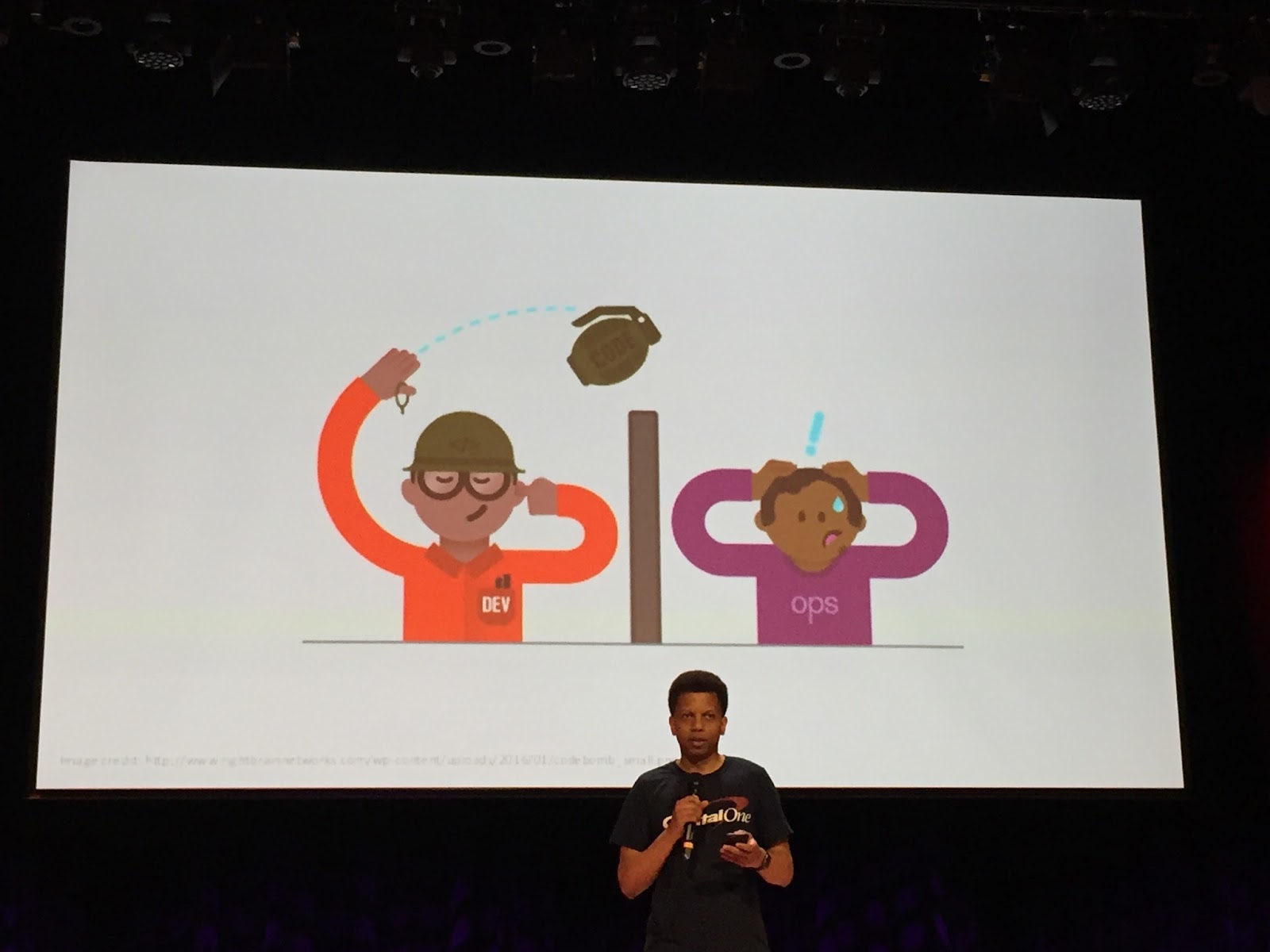
Loved this poster about the wall of confusion between development and operations.
In the afternoon, there were were lightning talks and then open spaces. Open spaces are free flowing discussions where the topic is voted upon ahead of time. I attended ones on infrastructure automation, CI/CD at scale and my personal favourite, horror stories. I do love hearing how distributed system can go down and how to recover. I found that the conversations were useful but it seemed like some of them were dominated by a few voices. I think it would be better if the person that suggested to topic for the open space also volunteered to moderate the discussion.
Day 2
The second day started out with a fantastic talk by John Arthorne of Shopify speaking on
scaling their deployment pipeline. As a side note, John and I worked together for more than a decade on
Eclipse while we both worked at IBM so it was great to catch up with him after the talk.
He started by giving some key platform characteristics. Stores on
Shopify have flash sales that have traffic spikes so they need to be able to scale
for these bursts of traffic.
From commit to deploy in 10 minutes. Everyone can deploy. This has two purposes: Make sure the developer stays involved in the deploy process. If it only takes 10 minutes, they can watch to make sure that their deploy succeeds. If it takes longer, they might move on to another task. Another advantage of this quick deploy process is that it can delight customers with the speed of deployment. They also deploy in small batches to ensure that the mean time to recover is small if the change needs to be rolled back.
BuildKite is a third party build and test orchestration service. They wrote a tool called Scrooge that monitors the number of EC2 nodes based on current demand to reduce their AWS bills. (Similar to what Mozilla releng does with
cloud-tools)
Shopify uses a open source orchestration tool called ShipIt. I was sitting next to my colleague
Armen at the conference and he started chuckling at this point because at Mozilla we also wrote an application called ship-it which release management uses to kick off Firefox releases. Shopify also has a overall view of the ship it deployment process which allows developers to see the percentages of nodes where their change has been deployed. One of the questions after the talk was why they use AWS for their deployment pipeline when they have use machines in data centres for their actual customers. Answer: They use AWS where resilency is not an issue.
Building containers is computationally expensive. He noted that a lot of
engineering resources went into optimizing the layers in the Docker
containers. To isolate changes to the smallest layer. They build
service called Locutus to build the containers on commit, and push to a
registry. It employs caching to make the builds smaller.
One key point that John also mentioned is that they had a team dedicated to optimizing their deployment pipeline. It is unreasonable to expect that developers working on the core Shopify platform to also optimize the pipeline.
In the afternoon , there were a series of lightning talks. Roderick Randolph from Capital One gave an amazing talk about
Supporting Developers through DevOps.
It was an interesting perspective. I've seen quite a few talks about bringing devops culture and practices to the operations side of the house, but the perspective of teaching developers about it is discussed less often.
He emphasized the need to empower developers to use DevOp practices by giving them tools, and showing them how to use them. For instance, if they needed to run docker to test something, walk them through it so they will know how to do it next time.
The final talk I'll mention is by
Will Weaver. He talks about how it is hard to show prospective clients how he had CI and tests experience when that experience is not open to the public. So he implemented tests and CI for his dotfiles on github.
He had excellent advice on how to work on projects outside of work to showcase skills for future employers.
Diversity and Inclusion
As an aside, whenever I'm at a conference I note the number of people in the "not a white guy" group. This conference had an all men organizing committee but not all white men. (I recognize the fact that not all diversity is visible i.e. mental health, gender identity, sexual orientation, immigration status etc) They was only one woman speaker, but there were a few non-white speakers. There were very few women attendees. I'm not sure what the process was to reach out to potential speakers other than the CFP.
There were slides that showed diverse developers which was refreshing.
Loved Roderick's ops vs dev slide.
I learned a lot at the conference and am thankful for all the time that the speakers took to prepare their talks. I enjoyed all the conversations I had learning about the challenges people face in the organizations implementing continuous integration and deployment. It also made me appreciate the culture of relentless automation, continuous integration and deployment that we have at Mozilla.
I don't know who said this during the conference but I really liked it
Shipping is the heartbeat of your company
It was interesting to learn how all these people are making their companies heart beat stronger via DevOps practices and tools.
Read more...


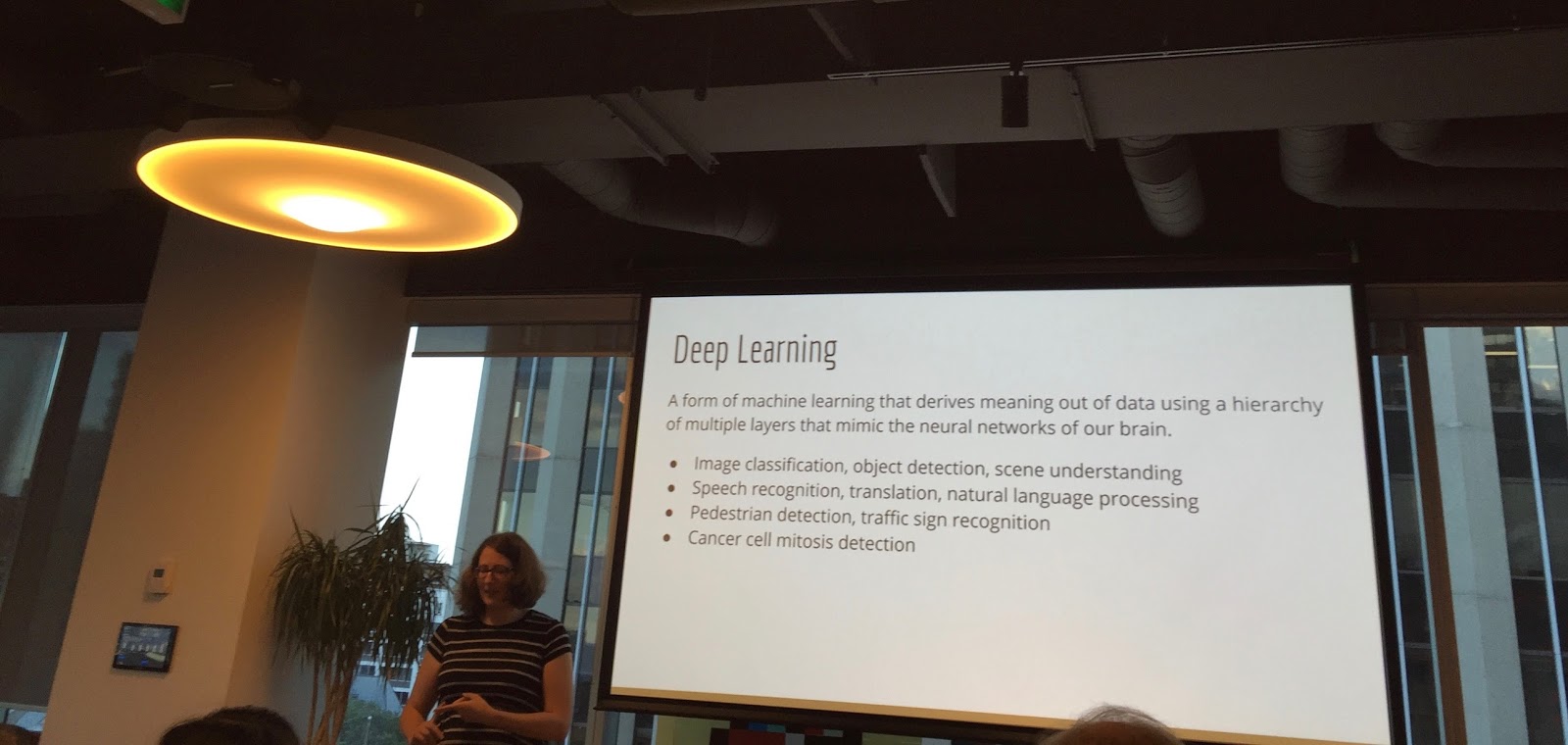


 I first saw Bridget speak at Beyond the Code in Ottawa in 2014 about scaling the streaming services for Drama Fever on AWS. At the time, I was moving our mobile test infrastructure to AWS so I was quite enthralled with her talk because 1) it was excellent 2) I had never seen another woman give a talk about scaling services on AWS. Representation matters.